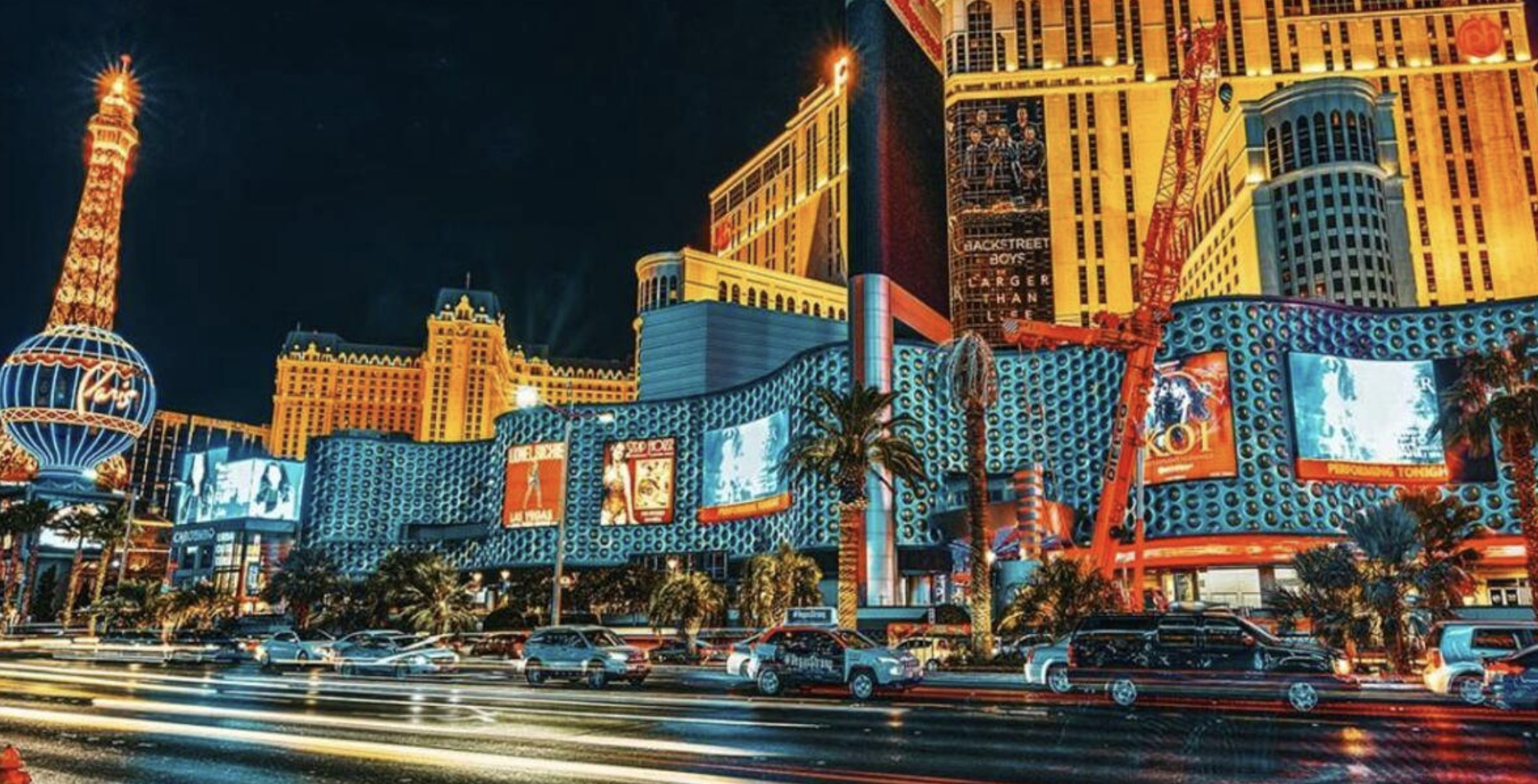
There is a specific look that says glamour, money and late-night energy: deep teal shadows, warm gold highlights, glowing neon and a cinematic richness that feels lifted straight from a casino movie. It is one of the most popular and versatile editing styles around, and the good news is that you can create it from almost any night or low-light photo with the right adjustments. This guide breaks down, step by step, how to edit photos for a glamorous Las Vegas casino aesthetic, using techniques that work in any capable photo editor.
If you are also shooting your own source images, pair this with our guide on how to photograph casinos and neon nightlife for the best raw material to work from.
Start with a strong base
Great grading begins with a clean foundation. Before you touch colour, get the exposure and structure right.
Set your white balance first. Decide on the mood: cooler for a moody, electric feel, slightly warmer for opulent glamour. This anchors everything that follows.
Recover the highlights and lift the shadows. Pull highlights down so neon and bright signage keep their detail and colour, then raise shadows just enough to reveal texture in the dark areas without flattening the scene.
Deepen the blacks. A casino edit lives on contrast. Crush the blacks slightly so the darkest parts of the frame feel rich and inky, giving the neon something to glow against.
Build the colour grade
This is where the aesthetic is born. The signature casino-glamour palette pairs cool shadows with warm highlights, the classic teal-and-orange cinematic split.
Use colour grading or split toning. Push the shadows toward teal or deep blue, and the highlights toward gold, amber or warm orange. Keep it subtle at first, then build intensity to taste.
Refine with HSL. Use the hue, saturation and luminance controls to make individual colours sing: boost the saturation and luminance of the reds, magentas and cyans that neon throws off, while reining in any colours that distract from the mood.
Protect skin tones. If there are people in the frame, ease off the orange in the highlights enough that skin stays believable rather than turning sunburnt-bronze.
Make the neon glow
The single detail that sells the look is glow. Real neon bleeds light into the air around it, and recreating that softness is what separates a flat edit from a luminous one.
Add a subtle bloom or glow around the brightest light sources. Many editors offer a dedicated glow, clarity-reduction or "orton effect" tool; apply it gently so highlights feather softly into their surroundings.
Lower texture or clarity selectively in the brightest areas to let the light feel hazy and atmospheric, while keeping your subject sharp.
Dodge the light sources to nudge their brightness up just a touch, reinforcing the sense that they are radiating energy.
Finishing touches for a cinematic feel
A few final moves take the image from "edited" to "cinematic."
Add a gentle vignette to draw the eye inward and frame the glow.
Introduce a little film grain. A light grain unifies the colours and gives the image a tactile, movie-still quality that pure digital cleanliness lacks.
Consider the aspect ratio. A wider, letterbox-style crop instantly reads as cinematic and suits the casino mood.
Save it as a preset. Once you have a grade you love, save the settings so you can apply your signature casino look to a whole series with one tap and then fine-tune each frame.
Bringing it together
The Las Vegas casino aesthetic is really a recipe: rich contrast, a teal-and-gold split, glowing neon and a cinematic finish of vignette and grain. Learn the recipe once and you can apply it to nightlife shots, portraits, street scenes and product images alike. Start subtle, build the mood in layers, and let the glow do the heavy lifting.
Frequently asked questions
What colours make up the Las Vegas casino aesthetic? The signature palette is a cinematic teal-and-orange split: cool teal or deep blue in the shadows and warm gold or amber in the highlights, combined with vivid, saturated neon hues like magenta and cyan, all sitting on rich, deep blacks.
How do you make neon glow in photo editing? Add a subtle bloom or glow effect around the brightest light sources, reduce texture or clarity selectively in those areas so the light feathers softly, and dodge the light sources to lift their brightness slightly. The key is restraint, a gentle glow looks luminous while too much looks artificial.
Can I get the casino look from a regular night photo? Yes. Any well-exposed night or low-light image with some light sources can be graded into the look. Recover the highlights, deepen the blacks, apply the teal-and-gold grade, boost the neon colours with HSL and add glow, vignette and grain to finish.
Should I save my edit as a preset? Yes, if you plan to edit a series. Saving your finished grade as a preset lets you apply a consistent casino aesthetic across many photos instantly, then make small per-image tweaks for exposure and colour.